



Teks penuh artikel ini dalam bahasa Inggeris.
A website that looks polished on launch day can still become a daily operational problem. You may need to connect a domain, create staff email addresses, update content, restore a backup, improve page speed, or give an agency access without handing over your entire account. That is why the cloud hosting vs website builder decision is not only about how quickly you can publish a homepage. It determines how much control, flexibility, and maintenance work your business will have later.
For many small businesses, a website builder is the fastest route to a basic site. Cloud hosting is usually the stronger choice when the website is part of a growing operation, needs specific software such as WordPress, or must work alongside domains, email, storage, and other services.
Cloud Hosting vs Website Builder: The Core Difference
A website builder is an all-in-one publishing product. It gives you templates, a visual editor, hosting, and a set of built-in features. You choose a design, add your business details, and publish through the provider's system. This model reduces setup work because many technical decisions are already made for you.
Cloud hosting provides the infrastructure where a website runs. Depending on the service, you may install a content management system, deploy a custom application, configure a server, manage files, and select the tools that fit your requirements. Managed cloud hosting reduces much of that operational workload by handling routine platform tasks while leaving you with more control over the site itself.
The difference is simple: a website builder gives you a predefined way to build, while cloud hosting gives you an environment where you can run the website and tools you choose.
That does not make one option universally better. A builder can be a sensible choice for a brochure site with a limited budget and no need for custom functionality. Cloud hosting is often a better fit when your website needs room to change without requiring a full rebuild or a move to another platform.
Choose a Website Builder When Speed Matters Most
A website builder works well when the site has a narrow purpose. A local service business that needs a few pages, a contact form, business hours, and a photo gallery can often get online quickly with a template-based system. The visual editor is designed for people who do not want to work with plugins, themes, files, or server settings.
The predictable setup process is its main advantage. Most builders include basic security, updates to their platform, and hosting as part of one subscription. Your team can make simple content changes without learning WordPress or involving a developer.
However, convenience comes with boundaries. You are working within the builder's available templates, design controls, integrations, and ecommerce features. A feature that seems small, such as a custom booking flow, advanced form logic, a membership area, or a specific reporting connection, may be unavailable or require a higher plan.
Portability can also become an issue. You may be able to export text and images, but the design, page structure, and functions are often tied to the builder. If the business outgrows the platform, rebuilding the site elsewhere may be easier than moving it.
Choose Cloud Hosting When Operations Need Flexibility
Cloud hosting is built for businesses that need more than a fixed template and a simple editor. It supports a wider range of website setups, from managed WordPress sites to custom applications running on cloud servers. This gives a business more choice over how the website is built, maintained, and expanded.
For example, WordPress on managed hosting can give a marketing team an accessible content editor while allowing a developer to add a custom feature when needed. An agency can manage several client sites, configure separate access, and use backups before making larger changes. A growing store can use specialized ecommerce tools instead of waiting for a website builder to support its requirements.
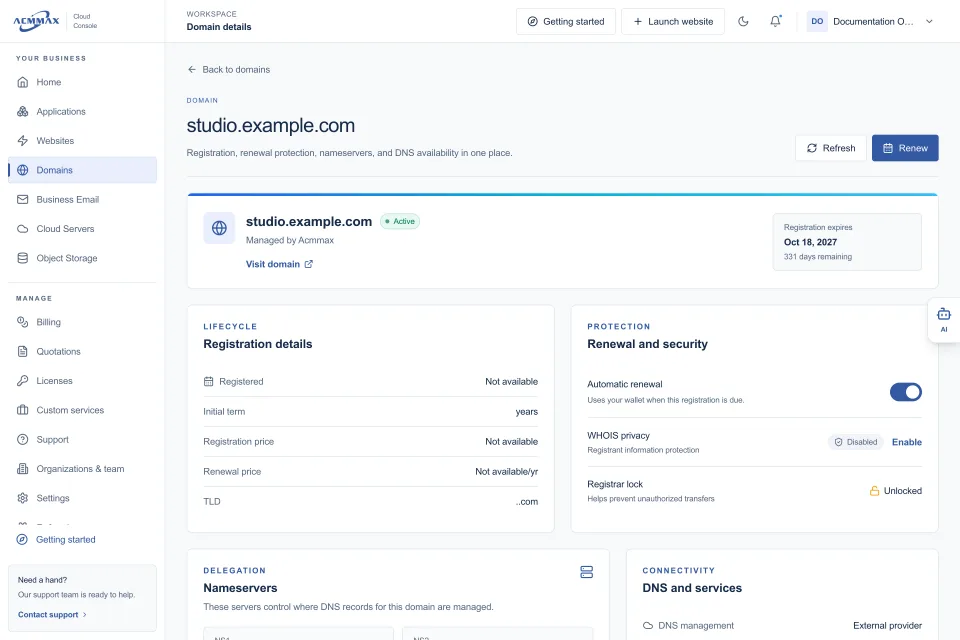
Cloud hosting also makes sense when your website is only one part of your digital setup. Your domain, DNS records, business email, website backups, server resources, and object storage all need ongoing attention. Keeping these services organized in one place can reduce missed renewals, duplicate accounts, and time spent switching between provider dashboards.
The trade-off is responsibility. Unmanaged cloud infrastructure requires technical knowledge to configure, secure, update, and monitor. Managed hosting is designed for businesses that want the flexibility of cloud infrastructure without taking on every server-level task. Before buying, confirm exactly what the provider manages and what remains with your team.
Compare the Day-to-Day Work
The most useful comparison is not the launch process. It is what happens in month six, when a staff member needs a new mailbox, the site needs an update, and a campaign creates a sudden increase in traffic.
| Area | Website Builder | Cloud Hosting | | --- | --- | --- | | Initial setup | Usually fast with templates and guided steps | Can be fast with managed WordPress, but configuration varies | | Design control | Limited to the platform's editor and themes | Broad control through WordPress, code, themes, and applications | | Custom features | Limited to built-in features and supported integrations | Can use plugins, custom development, APIs, and server tools | | Maintenance | Provider handles the core platform | Depends on managed or unmanaged service level | | Moving later | May require a rebuild on another platform | Generally more portable when using standard software | | Technical skill | Low for routine edits | Low to moderate for managed hosting; higher for cloud servers | | Growth options | Tied to the provider's plans and tools | More options to add resources, services, and configurations |
Cost deserves the same practical view. Website builders usually bundle hosting and features into one monthly price, which can be easier to forecast at the start. But costs can rise when you need premium templates, ecommerce functions, extra users, marketing integrations, or higher transaction-related plans.
Cloud hosting pricing varies more because you can select the service level you need. A managed WordPress plan may be cost-effective for a business site that needs backups, security tools, and support. A cloud server can be priced around its actual compute and storage requirements, but it may also require administration time or technical support. The lowest monthly price is not always the lowest operating cost.
Questions to Ask Before You Commit
Start with the site you need to run over the next 12 to 24 months, not only the site you need this week. If your requirements are limited to a few pages and occasional edits, a website builder may keep things simple. If you expect regular content publishing, lead-generation tools, ecommerce growth, client management, or custom integrations, cloud hosting gives you more room to operate.
Ask who will maintain the site. A founder with no technical support may prefer a builder or managed WordPress hosting. A freelancer or agency managing client sites may benefit from a platform that combines hosting controls with domain, DNS, billing, backup, and access management. A developer building a custom application may need a configurable cloud server and separate object storage rather than a website builder's fixed environment.
Also ask what happens when something goes wrong. Can you restore a backup? Who updates the software? Can you reach support that understands the service? Where are your domain settings and renewal dates? Clear answers matter more than a long feature list.
A Practical Path for Growing Businesses
You do not have to choose between simplicity and control as if they are opposites. A managed WordPress hosting plan can offer a practical middle ground: a familiar content management system for your team, managed operational tools, and the ability to add functionality as the business changes.
ACMMAX is designed around this kind of day-to-day management, bringing website hosting, domains, DNS, professional email, cloud servers, storage, billing, and support into a central Cloud Console. For a business owner, that can mean fewer separate logins and clearer oversight of the services behind the website.
The right choice is the one that matches your operating reality. Use a website builder when a straightforward, limited site is enough. Choose cloud hosting when your website needs to support marketing, sales, customer service, and future changes without becoming the next system you have to replace.