



Teks penuh artikel ini dalam bahasa Inggeris.
A website can look finished at launch and still become a business risk within months. A plugin update can break a checkout form, a full disk can stop email delivery, or an expired SSL certificate can turn a trusted domain into a browser warning. This website maintenance guide gives growing businesses a practical way to keep websites secure, fast, available, and recoverable without turning routine care into a full-time project.
The right maintenance plan depends on how your site supports the business. A five-page company website needs a lighter process than an e-commerce store, customer portal, or application connected to accounting, inventory, and payment systems. The goal is not to perform every possible check. It is to assign the right checks, at the right frequency, with a clear owner and a tested recovery path.
What website maintenance actually covers
Website maintenance is the operational work done after launch to keep a site functioning as intended. It covers the application itself, but also the hosting environment, domain, DNS records, backups, integrations, user access, and performance.
Many businesses only think about content updates: new team photos, service pages, pricing changes, or promotions. Those matter, but technical maintenance is what keeps visitors able to reach those pages in the first place. A well-designed website still fails if its hosting account is suspended, its database is damaged, or a third-party form stops sending leads.
For lean teams, maintenance should answer four practical questions:
- Is the website available and loading correctly?
- Is it protected against known security risks?
- Can we restore it quickly if something fails?
- Does someone know who is responsible for fixing an issue?
If any answer is unclear, the website is being managed reactively.
A website maintenance guide by frequency
A simple schedule prevents small issues from becoming emergency work. Not every task needs daily attention, but the schedule should reflect the cost of downtime. If your site generates leads, accepts payments, or supports logged-in users, monitoring and backups need more frequent review.
| Frequency | Core work | Why it matters | | --- | --- | --- | | Daily | Check uptime, alerts, failed backups, and critical forms | Catches customer-facing problems before they sit unnoticed | | Weekly | Apply approved updates, review security alerts, test key journeys | Reduces exposure from outdated software and broken integrations | | Monthly | Review performance, storage, access, logs, and CMS health | Identifies capacity, speed, and access issues early | | Quarterly | Test a full restore, audit plugins and integrations, review domain settings | Confirms recovery works and removes unnecessary risk | | Annually | Renew domains and certificates, review hosting capacity and support scope | Avoids preventable expiration and planning surprises |
This is a starting point, not a rigid rule. A brochure site with no customer data may only need monthly hands-on maintenance, supported by automated uptime and backup checks. A business application may need daily review, patch windows, change approvals, and documented incident response.
Keep updates controlled, not automatic by default
Outdated software is one of the most common causes of website compromise. That includes the content management system, themes, extensions, server packages, and libraries used by custom applications. Updates close vulnerabilities and fix bugs, but they can also cause conflicts.
For that reason, avoid treating every update as an instant production change. Low-risk patches can often be automated, especially security updates for the operating system. Major CMS, plugin, framework, or database upgrades deserve a staging environment or at least a current backup and a defined rollback plan.
Before updating, confirm that backups completed successfully and note the current versions. After updating, test the actions that matter to customers: page load, contact forms, login, search, payment, booking, document uploads, and any connection to another business system. A homepage that loads normally does not prove the website is working.
Custom websites need the same discipline. Their updates may be less visible than plugin updates, but dependencies, API versions, server runtimes, and scheduled jobs still change over time. Budgeting for ongoing technical support is usually less expensive than waiting for an unsupported component to fail during a busy period.
Backups only count when restores work
A backup is a copy. A recovery plan is proof that the copy can be used under pressure. Businesses often discover the difference after ransomware, accidental deletion, a failed update, or a hosting issue.
Maintain backups of both website files and the database. Store copies separately from the primary server where possible. If an attacker gains access to the hosting account, backups stored in the same account may also be deleted or encrypted. Retention should match the rate of change: sites with daily orders or submissions need more restore points than static marketing sites.
At least quarterly, restore a backup into a safe test environment. Check that the database connects, pages render, media files appear, and core workflows function. Record how long the restore took and what information, if any, was lost between the last backup and the test. That gives decision-makers a realistic recovery expectation instead of a vague promise.
For customer portals and operational systems, define two targets: recovery time objective, meaning how quickly the service should return, and recovery point objective, meaning how much recent data the business can afford to lose. A four-hour restore may be acceptable for a marketing site. It may be unacceptable for an order management system.
Protect access, domains, and integrations
Most website incidents are not sophisticated attacks. They are reused passwords, former staff accounts, excessive admin permissions, exposed keys, or a domain renewal notice sent to an unattended inbox.
Use unique passwords and multi-factor authentication for the hosting account, domain registrar, CMS administrators, cloud console, and email accounts that control password resets. Give users only the access they need. A content editor should not automatically have server-level access, and an agency should not retain permanent administrator rights after a handover unless that support arrangement is intentional.
Review access monthly and immediately after a staff or vendor change. Remove old accounts, rotate shared credentials, and check API keys used by payment gateways, email platforms, maps, analytics, and CRM tools. Integrations are valuable, but each one expands the number of services that can fail or require updates.
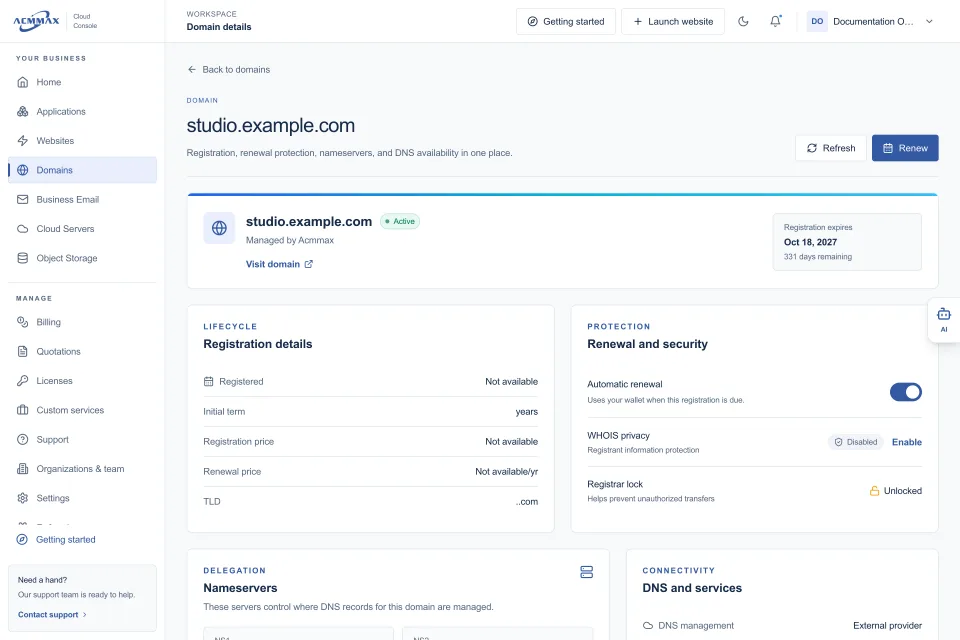
Domain administration deserves special attention. Confirm the registrant contact, renewal method, DNS ownership, and recovery email address. Losing control of a domain can affect the website, business email, customer trust, and search visibility at the same time.
Monitor what customers experience
Server availability alone is not enough. A site can return a successful status code while its contact form, payment flow, or login screen is broken. Monitoring should reflect the website's actual business purpose.
At minimum, track uptime, response time, SSL certificate validity, disk capacity, backup status, and error alerts. For lead-generation sites, submit a test inquiry regularly and verify that it reaches the right inbox or CRM. For online stores, test a purchase flow using a controlled process. For member portals, check login and password reset behavior.
Performance reviews should focus on useful outcomes. Slow pages can reduce conversions and frustrate staff, but the solution is not always a larger server. Large images, unoptimized scripts, unnecessary plugins, database queries, and third-party tracking tags can all contribute. Start by measuring where the delay occurs, then fix the component causing it.
Hosting capacity should also be reviewed against real traffic and application behavior. A plan that was sufficient at launch may struggle after adding high-resolution media, new users, reporting features, or an integrated product catalog. Growth is positive, but it needs infrastructure planning.
Document ownership before an incident
The fastest technical response usually comes from clear information, not heroic troubleshooting. Keep a short maintenance record that identifies the domain provider, hosting environment, renewal dates, backup location, core integrations, administrative contacts, and escalation procedure.
Document who can approve production changes, who receives alerts, and who contacts the hosting or development team after hours. Include business contacts, not only technical names. If a payment gateway fails, someone may need to decide whether to pause orders, publish a notice, or switch to a manual process.
This documentation does not need to be complicated. A shared, access-controlled operations record is enough if it stays current. The key is that it must be usable by someone other than the person who originally built the website.
For businesses that prefer one accountable technical partner, ACMMAX can support hosting, application updates, cloud operations, and incident response under a defined scope. The useful question is not whether maintenance is outsourced or handled internally. It is whether the responsibilities, response expectations, and monthly cost are clear before an outage happens.
Treat maintenance as operational insurance
Website maintenance is most effective when it becomes a routine operating cost, not an emergency expense. Set a realistic monthly scope, automate the repeatable checks, reserve human review for decisions and testing, and track the issues that recur. Over time, that record shows where a better hosting plan, code improvement, integration redesign, or support arrangement will save money.
Your website should not require constant attention. It should have enough planned attention that customers can rely on it when they need it most.