
Singapore · Zone A
2 vCPU · 4 GB RAM · 40 GB disk
USD 10.08/ 30 days
Resource estimate, not a performance guarantee.
Choose an available location and image, then size CPU, memory and disk around the application you operate.
From USD 3.60 / month
2 vCPU · 4 GB RAM · 40 GB disk
USD 10.08/ 30 days
Resource estimate, not a performance guarantee.
2 vCPU · 4 GB RAM · 40 GB disk
USD 10.08/ 30 days
Resource estimate, not a performance guarantee.
2 vCPU · 4 GB RAM · 40 GB disk
USD 10.08/ 30 days
Resource estimate, not a performance guarantee.
Public catalog time:
Public prices are references. Confirm the selected plan, capacity and final amount in Console.
Choose a location, zone and available operating-system image.
Adjust resources and review the calculated term amount.
Review sign-in settings, wallet funds and the final quote before paying.
Zones are separate available deployment choices. Review the capacity and images shown for each option; the city label alone does not establish a redundancy guarantee.
Hourly unit rates are references for the resource calculation. The purchase flow presents the selected monthly or yearly term and its amount.
Use the Console payment check and review your server list before creating another request. Contact support if the status remains unclear.
Use the selected plan and order summary to confirm the service boundary. Ask about requirements that are not explicitly included before buying.
| Area | Your part | Confirm before purchase |
|---|---|---|
| Access and configuration | Protect account credentials and service keys. Give team members only the access they need. | Which operations and permissions are available for your selected service. |
| Content and recovery | Keep authority to use your content and plan independent recovery checks. | Backup availability, retention, restoration scope and any additional work or charges. |
| Billing and support | Review the currency, term and final amount. Keep the service and order reference for support. | Renewal, cancellation, refunds and the scope of support for the selected product. |
Choose a location, image and resources in one server configuration page. Compare the estimate before reviewing the final quote.
Explore cloud servers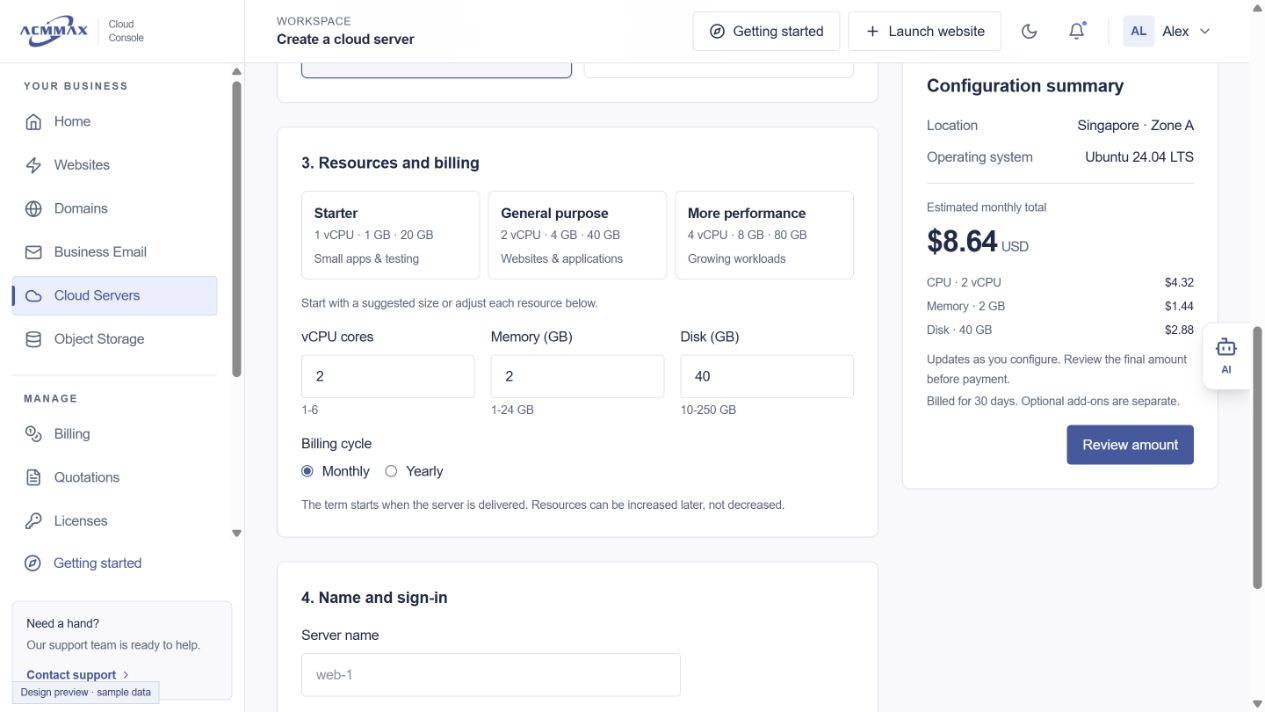
Review available plans and configuration in Cloud Console.