


以下为英文原文。
A website launch should not require five dashboards, a spreadsheet of renewal dates, and a late-night reminder to create a backup. Cloud automation replaces repetitive operational work with defined rules and repeatable actions, so routine tasks happen consistently without requiring someone to remember every step.
For small businesses, agencies, and growing online teams, that matters because the real cost of cloud services is not only the monthly bill. It is the time spent provisioning accounts, checking website health, renewing domains, assigning access, resolving configuration mistakes, and repeating the same maintenance work for every new project.
What Cloud Automation Actually Means
Cloud automation is the use of software, policies, workflows, and scripts to perform cloud management tasks automatically. Those tasks can range from basic actions, such as creating a backup schedule, to more technical workflows, such as deploying a server configuration or setting access rules for a storage bucket.
Automation is not the same as putting everything on autopilot. A useful setup still gives your team clear visibility, approval points where needed, and an easy way to intervene. The goal is to remove repeatable work, not remove accountability.
For a business managing a WordPress site, domain, email, and cloud storage, automation might handle routine backups, renewal notifications, user provisioning, usage monitoring, or standardized website setup. For a developer, it may also include server deployments, infrastructure configuration, scheduled jobs, and storage lifecycle policies.
Why Manual Cloud Management Creates Friction
Manual work is manageable when there is one website and one person responsible for it. Friction grows quickly when a freelancer adds client accounts, an agency launches multiple sites each month, or a business begins using separate providers for hosting, email, domains, and storage.
The problem is usually not one major failure. It is a sequence of small tasks that are easy to postpone: updating a plugin, confirming a backup completed, removing a former employee's access, reviewing an expiring domain, or checking whether a storage bucket is using more space than expected.
When these tasks live in disconnected systems, teams lose context. The person handling a website may not see the domain renewal status. The person who set up email may not have access to hosting. Finance may receive invoices without knowing which client or project owns each service.
Cloud automation reduces those handoffs by making common actions repeatable and visible. It also makes outcomes more consistent. A standard workflow does not get tired, skip a checklist item, or use a different naming convention because someone was rushing.
Where Cloud Automation Delivers Immediate Value
The best starting point is not the most advanced workflow. It is the task that happens often, follows clear rules, and causes real disruption when missed.
Website backups and recovery readiness
Backups are a clear example. A backup process should run on a schedule, retain the right restore points, and be checked periodically. Automation handles the routine schedule, but recovery readiness still requires testing. A backup that exists but cannot be restored is not a dependable recovery plan.
For WordPress teams, automated backups reduce daily maintenance pressure and create a more predictable response when an update, configuration change, or security issue affects a site.
Standardized site and server setup
Launching a new site or cloud server often involves the same baseline decisions: access settings, environment configuration, monitoring, backup rules, and naming conventions. Automating a standard setup prevents every new project from becoming a custom process.
This is especially valuable for agencies. Instead of rebuilding a familiar configuration from memory, the team can start from a documented baseline and adjust only what is unique to the client. The result is faster delivery without treating every customer environment as identical.
Domain, DNS, and renewal workflows
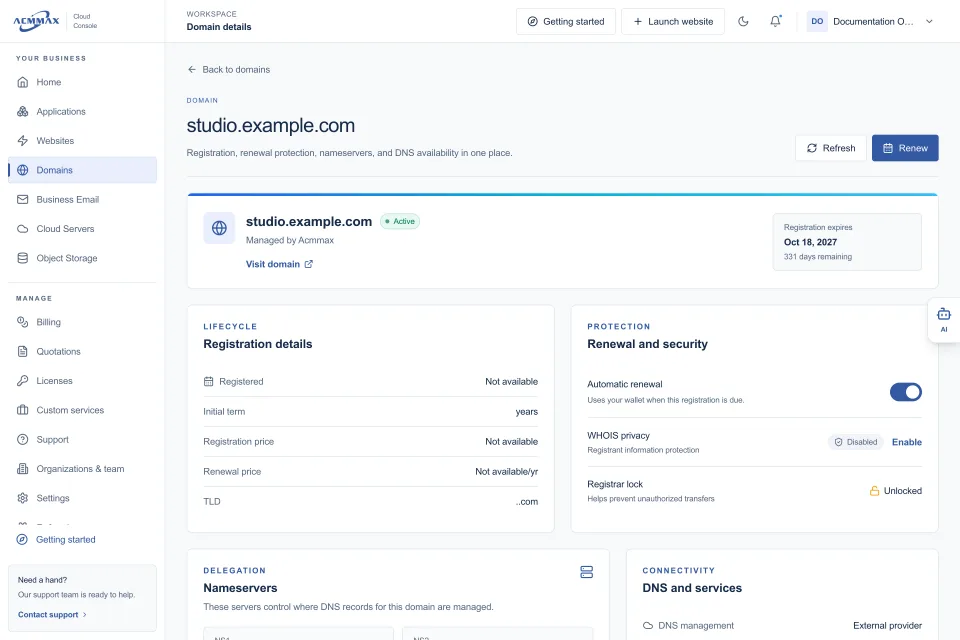
Domains are small assets with large consequences. An expired domain can interrupt a website, email delivery, or both. DNS changes can also create avoidable downtime when records are edited without a clear process.
Automation can provide renewal reminders, ownership records, approval workflows, and documented DNS templates for common services. It cannot eliminate the need to review billing details or verify domain contact information, but it can make those checks far less likely to be forgotten.
Access management
Cloud accounts often accumulate users, credentials, and permissions over time. That is normal, but unmanaged access creates security and operational risk.
Automated access workflows can support consistent onboarding and offboarding. When a contractor joins a project, they receive only the access required for their work. When the work ends, that access can be reviewed and removed promptly. For organizations, role-based access is usually safer and easier to manage than sharing a single administrator login.
Storage and cost controls
Object storage is flexible, but unplanned usage can grow quietly. Automated lifecycle rules can move older files to a lower-cost tier where appropriate, archive logs after a set period, or remove temporary files that no longer serve a purpose.
The right policy depends on the data. Customer uploads, backups, media libraries, audit records, and application logs may all have different retention needs. Automation helps enforce the policy, while the policy itself still requires a business decision.
Build Cloud Automation Around Clear Rules
Automation works best when the underlying process is already understood. If a team cannot explain who approves a DNS change, when backups should be retained, or which users need server access, automating the process will only make confusion happen faster.
Start by documenting the trigger, action, owner, and exception for each workflow. For example: when a new WordPress site is created, assign the project owner, enable the selected backup schedule, record the domain, and notify the responsible team member. If the site requires custom DNS or a special migration, route it for review instead of forcing it through the standard workflow.
This approach keeps automation practical. It recognizes that not every workload should follow the same path.
What Should Stay Human
Some tasks benefit from automation but should not be fully automated. Production deployments may need an approval step. Large DNS changes should be reviewed by someone who understands the impact. Account and billing permissions deserve deliberate control. Security alerts require investigation, not just automatic closure.
The right balance depends on risk. A scheduled backup is low-risk and highly repeatable. Deleting data after a retention period may be appropriate, but only after the retention policy has been approved. Automatically scaling a server can help with variable traffic, but it should include usage limits and cost monitoring.
Good cloud operations use automation to make routine work reliable, then reserve human attention for decisions, exceptions, and customer impact.
A Practical Starting Plan
Begin with an inventory. List your websites, domains, email accounts, servers, storage buckets, users, renewal dates, and current backup arrangements. This step often reveals duplicate services, unclear ownership, and expired access that has not been reviewed.
Next, identify the three recurring tasks that consume the most time or create the greatest risk when missed. For many teams, those are backups, domain renewals, and user access. Define a simple standard for each before introducing automation.
Then centralize management where possible. A unified console makes it easier to see related services, manage account administration, review billing, and handle everyday tasks without switching between providers. ACMMAX brings website services, cloud servers, domains, business email, and S3-compatible object storage into one Cloud Console, which can reduce the operational gaps that appear when each service is managed separately.
Finally, review automated workflows on a regular schedule. Check completed jobs, exceptions, costs, permissions, and recovery procedures. Automation should reduce maintenance work, but it still needs maintenance of its own.
The useful question is not, “What can we automate?” Ask, “What work do we repeat, what happens when it is missed, and what level of control do we need?” Start there, and cloud automation becomes a practical operating advantage rather than another system to manage.