



At 9:12 a.m. on a Monday, a product launch email turned into an infrastructure test. Sign-ups jumped sixfold, checkout requests slowed, and the small team behind a subscription platform had to choose between reacting quickly and making changes that would create bigger problems later. This startup cloud scaling case study follows a composite SaaS business based on common growth patterns seen by small teams: rising traffic, a growing media library, limited operations time, and too many disconnected service accounts.
The company had a working product and paying customers. What it lacked was an operating model for growth. Its challenge was not simply adding server capacity. It was deciding what needed to scale, what needed better management, and what could stay simple until demand justified a more complex design.
The Starting Point: A System Built for Early Traction
The startup, called Northstar for this example, ran its customer-facing application on one cloud server. Its marketing site and support content were on a separate WordPress host. Images and customer-generated files lived on the application server, backups ran overnight, and DNS, email, hosting, and invoices were managed through different providers.
That setup was reasonable at first. One server was affordable, easy to understand, and fast to deploy. The problem appeared as usage changed. Monthly traffic rose from roughly 18,000 visits to 140,000 visits in four months. More customers were uploading files, and the application database had grown enough that backup jobs occasionally affected response times.
The most visible issue was performance. During a peak campaign, average page response time increased from 450 milliseconds to more than three seconds. A few requests timed out. The more serious issue was operational uncertainty: nobody could quickly tell whether the bottleneck was CPU capacity, database activity, file storage, or a configuration change made weeks earlier.
Northstar did not need a large enterprise architecture. It needed clear separation between workloads and fewer routine tasks competing for attention.
Startup Cloud Scaling Case Study: The Four Stages
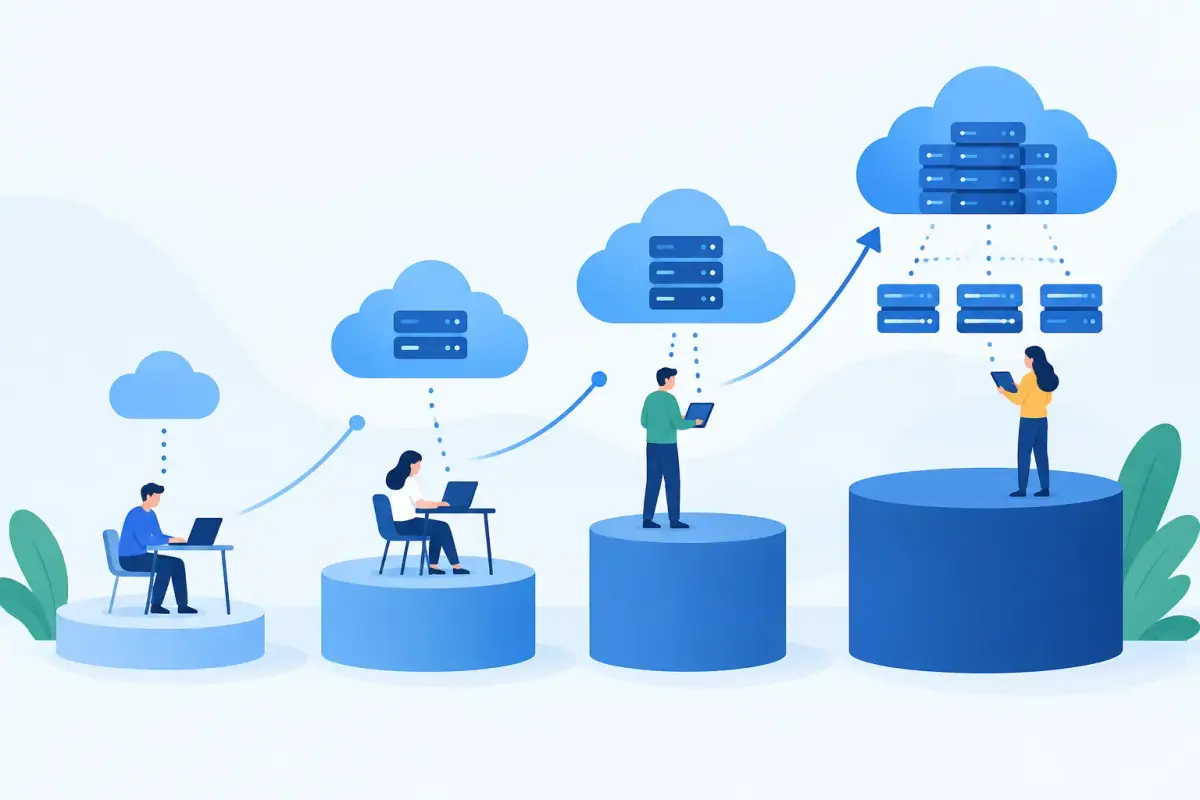
The team used a staged plan rather than attempting a full rebuild during a growth spike. Each stage addressed a specific operational risk and created a measurable decision point for the next one.
| Stage | Change | Business reason | Result to monitor | |---|---|---|---| | 1 | Measure traffic and resource use | Find the actual bottleneck before buying capacity | Response time, CPU, memory, database load | | 2 | Move files to object storage | Stop media uploads from consuming application disk and backup time | Storage growth, upload speed, backup window | | 3 | Separate web and database workloads | Reduce contention and improve recovery options | Error rate, query latency, server utilization | | 4 | Centralize routine operations | Reduce missed renewals, scattered billing, and manual checks | Support time, renewal status, recovery readiness |
Stage 1: Measure Before Scaling
Northstar's first move was not to increase server size. The team reviewed application logs, server metrics, database slow-query records, and backup schedules for two weeks. The data showed that CPU usage was high during customer imports, but the larger pattern was disk activity. Uploaded files, image processing, database writes, and backup compression were all competing on the same machine.
This mattered because a larger server would have improved the symptoms without removing the conflict. It also would have increased monthly spend with no clear threshold for when another upgrade would be required.
The team set practical operating targets: customer pages should load in under one second under normal demand, background imports should not affect checkout activity, and backups should finish outside peak hours. These were not guarantees of performance. They were working limits used to guide decisions.
For small businesses, this step is often skipped because monitoring can feel like extra work. In practice, a basic view of traffic, resource consumption, errors, and backup duration prevents expensive guesswork. Scaling based on a single busy afternoon is different from scaling based on a repeatable trend.
Stage 2: Move File Storage Off the Application Server
The next change was to place uploaded documents, product images, and generated exports in S3-compatible object storage. The application server retained only temporary files needed for processing.
This reduced disk pressure immediately and made backups smaller. It also made file growth easier to manage because storage capacity was no longer tied directly to the server plan. Northstar could retain files independently, use access credentials with defined permissions, and organize data by bucket rather than searching through server directories.
There was a trade-off. Object storage is not a drop-in replacement for every local file operation. The application needed updates to use object paths correctly, and the team had to decide which files should be private, which could be publicly delivered, and how long temporary exports should remain available. Those decisions took time, but they were more manageable than trying to keep a growing file library on a single production server.
For a WordPress business site, the same principle may apply to media-heavy sites, downloadable resources, or archived assets. The right configuration depends on the website, plugin compatibility, and how frequently files are edited. Moving everything at once is not always necessary.
Stage 3: Separate Workloads Without Overbuilding
Once file storage was no longer competing for local disk resources, Northstar split its application and database into separate cloud servers. The application server handled web requests and background workers. The database server was sized for memory and consistent disk performance, with access restricted to the application layer.
The team did not add containers, a multi-region deployment, or a complex orchestration platform. Those tools can be appropriate, but they introduce maintenance requirements that a small team may not be ready to own. Northstar's immediate goal was a system that two developers could understand, update, back up, and restore.
This separation improved stability during import jobs. At the same time, it introduced new responsibilities: internal networking rules, database backup verification, patch schedules, and a documented recovery process. Scaling is not only about capacity. Every new component has an ownership cost.
After the change, median response time during peak periods dropped to 680 milliseconds, and import-related support tickets fell by 60 percent over the following month. The company also stopped treating server disk usage as a constant emergency. Those results were useful because they confirmed the source of the problem, not because they meant the infrastructure would never need another change.
Stage 4: Bring Daily Operations Into One View
The final issue was administrative friction. A developer managed cloud resources, a founder received domain renewal notices, and an operations assistant handled business email billing. Important information existed, but it was scattered across inboxes and provider dashboards.
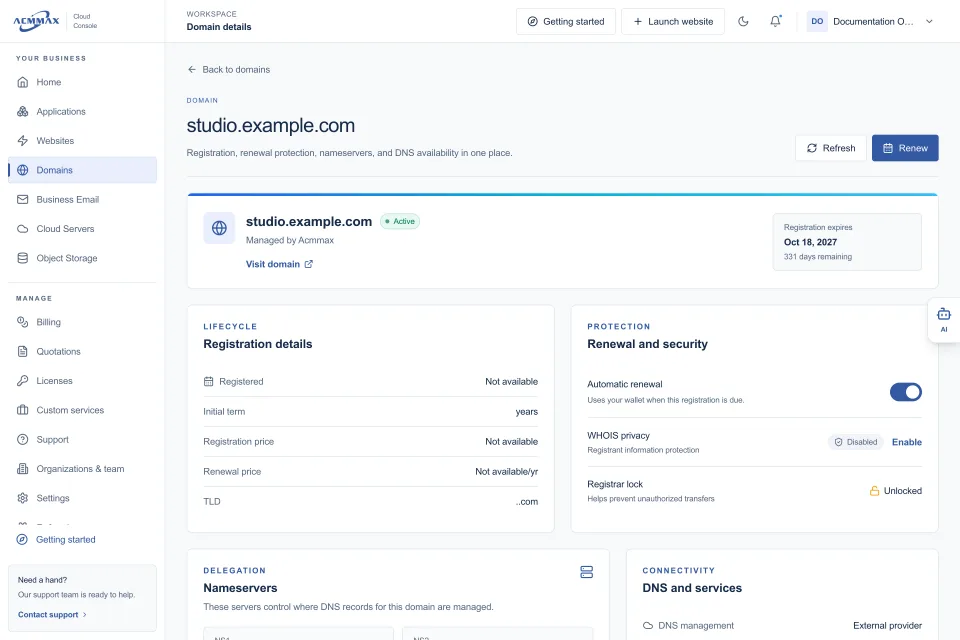
Northstar moved routine service administration into a central cloud console. The team could review cloud servers, storage, domain status, DNS records, backups, invoices, wallet payments, and account access from one place. ACMMAX is designed for this kind of day-to-day consolidation, particularly for businesses that need managed WordPress services alongside cloud infrastructure and storage.
Centralization did not eliminate the need for technical judgment. A central console cannot decide whether an application query needs optimization or whether a server needs a software update. What it can do is make ownership clearer. The team assigned one person to review renewals monthly, another to verify backups, and a technical lead to approve access changes and infrastructure updates.
That process reduced the risk of preventable incidents, such as an expired domain, an overlooked invoice, or credentials remaining active after a contractor left. For agencies and freelancers managing several client sites, the same approach can save substantial time. The value is less about having fewer tabs open and more about knowing where to act when something needs attention.
What Northstar Did Not Scale Yet
A useful case study should include the decisions a team chose not to make. Northstar did not add a second geographic region, automatic horizontal scaling, or a dedicated 24/7 operations function. Its usage pattern did not justify those costs yet.
Instead, the team defined triggers. A second application server would be considered when sustained CPU use exceeded 70 percent during normal peak periods. A managed database option would be reviewed if database maintenance began consuming more than four engineering hours each month. A content delivery layer would be evaluated if a larger share of traffic came from distant regions or media delivery became the primary source of latency.
These triggers prevented both underinvestment and premature complexity. They also made budget discussions easier because each future expense had a clear business or technical reason behind it.
The Practical Lesson for Growing Teams
The strongest outcome was not a particular server configuration. It was a clearer operating routine. Northstar moved from reacting to slow pages and renewal emails to reviewing capacity, backups, costs, and service ownership on a schedule.
If your business is growing, start by identifying the workload that creates the most risk: application traffic, WordPress performance, database activity, media storage, backups, or administrative sprawl. Then make the smallest change that removes that constraint and gives your team a clearer view of the next one. Good scaling should leave your business with more control, not just more infrastructure.