



A slow checkout page, a missed plugin update, or a site that goes offline during a campaign can cost a small business more than the monthly price of hosting. That is why WordPress hosting versus shared hosting is not simply a technical comparison. It is a decision about who handles routine maintenance, how predictable performance will be, and how much time your team can spend managing the website.
Shared hosting can be an affordable starting point for a basic site. Managed WordPress hosting is often a better operational fit when WordPress is central to lead generation, sales, client communication, or brand credibility. The right choice depends on your website’s role, traffic, budget, and technical capacity.
WordPress Hosting Versus Shared Hosting: The Core Difference
Shared hosting is a general-purpose environment where multiple customer accounts use resources on the same server. It can support WordPress, but it can also run other applications, websites, and content management systems. The provider maintains the underlying server, while customers are generally responsible for their own website software, themes, plugins, content, and many day-to-day WordPress tasks.
WordPress hosting is built specifically around running WordPress. Depending on the plan, it may include preconfigured WordPress environments, automated backups, security monitoring, caching, core updates, staging tools, and WordPress-focused support. In a managed service, the host takes on more of the operating work that would otherwise fall to the site owner or developer.
The distinction is not that one option is always fast and the other is always slow. A well-configured shared plan can work well for a low-traffic brochure site. The real difference is how much optimization, maintenance, and troubleshooting is included versus left to you.
How the Options Compare in Daily Operations
For business owners, the practical differences show up after the site launches. Consider what happens when a plugin causes an error, traffic rises after a promotion, or a team member needs to restore a deleted page.
| Area | Shared Hosting | Managed WordPress Hosting | | --- | --- | --- | | Platform setup | Usually manual or uses a one-click installer | WordPress-focused setup and configuration | | Updates | Often handled by the site owner | May include managed core and security updates | | Backups | May be limited or require separate configuration | Often scheduled and easier to restore | | Performance tools | General server settings and basic controls | WordPress caching and platform-level tuning may be included | | Support scope | Broad hosting support | Support typically familiar with WordPress issues | | Flexibility | Can support different site applications | Optimized for WordPress, with some platform rules | | Cost | Usually lower entry pricing | Usually costs more because management is included |
These are common patterns, not universal rules. Hosting plans vary substantially. Before choosing, confirm backup frequency, retention period, restore options, resource limits, update policies, migration support, and whether support will help diagnose plugin or theme conflicts.
Performance is more than server specifications
A shared hosting plan divides capacity across accounts. Providers use resource limits to prevent one account from consuming all available CPU, memory, or disk activity, but performance can still vary based on the plan and surrounding server activity. For a small site with a few pages and modest traffic, that may be entirely acceptable.
Managed WordPress hosting usually adds WordPress-specific caching, database tuning, PHP configuration, and monitoring. Those tools can reduce page-load time and make a site more consistent under normal traffic. They do not fix an oversized image library, poorly coded plugins, or an unoptimized theme, but they remove many common infrastructure bottlenecks.
If your website runs appointment bookings, an online store, membership features, or paid advertising campaigns, consistency matters more. A lower monthly price is less valuable if your team must repeatedly investigate performance issues during business hours.
Security and updates require clear ownership
WordPress itself is widely used and actively maintained, but its plugin and theme ecosystem means every site has its own security posture. Outdated extensions, weak administrator passwords, unused accounts, and neglected backups create risk on any hosting plan.
With shared hosting, you may need to define and maintain the process yourself: update WordPress, review plugins, create backups before changes, run security scans, and restore the site if something breaks. This can work well for an agency or freelancer with established maintenance procedures.
Managed WordPress hosting can reduce that workload through platform security controls and scheduled maintenance features. It should not be viewed as permission to ignore site administration. Your business still needs to control user access, choose reputable plugins, remove unused software, and test significant changes. The benefit is clearer shared responsibility: the provider manages more of the hosting layer, while you remain accountable for the website’s content and business functions.
When Shared Hosting Is the Right Choice
Shared hosting is a sensible choice when your needs are simple and your budget is tight. A new business site with a few informational pages, a contact form, and limited traffic may not need a specialized managed environment on day one.
It also suits users who need to host more than WordPress. For example, a freelancer may want one account for a WordPress portfolio, a small custom PHP project, and a testing site. General shared hosting can offer broader application flexibility than a WordPress-specific platform.
Choose shared hosting with realistic expectations. Someone still needs to manage WordPress updates, backup verification, uptime checks, and troubleshooting. If that person is you, account for the time involved. If it is a developer, include maintenance costs in the total budget rather than comparing plans only by their advertised monthly rate.
When Managed WordPress Hosting Is Worth the Cost
Managed WordPress hosting becomes more compelling when website downtime or maintenance delays have a direct business cost. That includes service businesses collecting leads, online stores processing orders, agencies managing client sites, and teams without an in-house WordPress administrator.
The value is not just a faster server. It is fewer disconnected tasks. A useful managed platform gives you practical controls for backups, files, security settings, performance tools, and account administration without requiring constant server-level work.
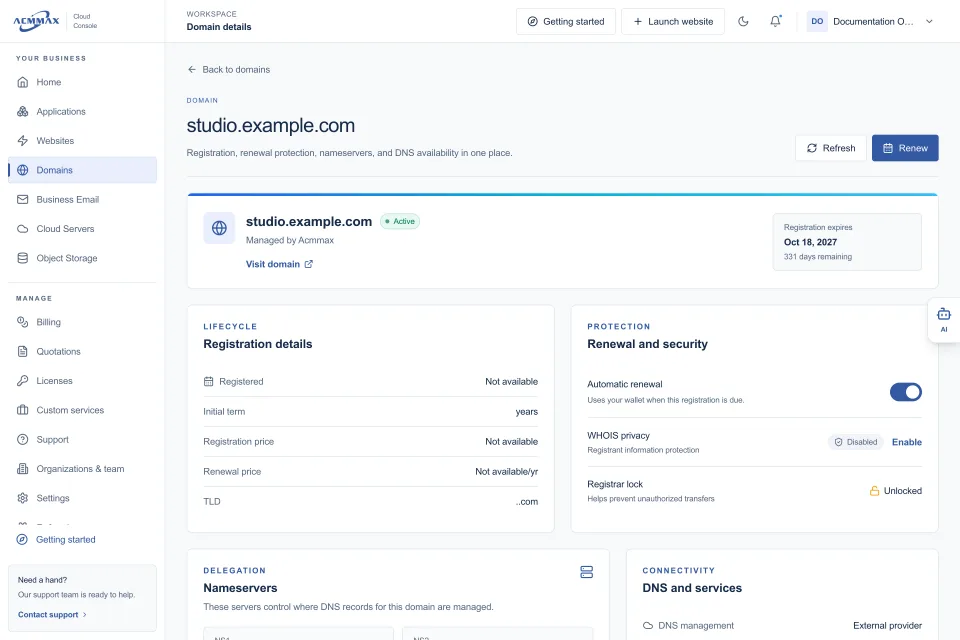
For teams managing domains, business email, websites, and billing together, a unified console can also reduce routine friction. ACMMAX, for example, combines managed WordPress services with domains, email, cloud resources, storage, and account administration in one Cloud Console. That model is particularly useful when a business wants fewer dashboards and clearer ownership of recurring services.
Managed hosting may be less suitable for highly customized applications that require unrestricted server configuration, uncommon software packages, or deep operating system access. In that case, a cloud server may be the better fit. The point is to match the service model to the workload rather than force every project into the same plan.
Look Beyond the Starting Price
The cheapest plan is not necessarily the lowest-cost option over a year. Compare what is included and what your business will need to add later. A low introductory price can become less attractive if backups, security tools, migration assistance, email, or expert support require separate purchases.
Ask these operational questions before you buy:
- How often are backups created, how long are they retained, and can I restore them without opening a support ticket?
- What happens if the site exceeds its allocated resources during a campaign or busy season?
- Are WordPress core, plugin, and theme updates included, optional, or entirely my responsibility?
- Which security measures are provided by the host, and which are still my responsibility?
- Can I manage renewals, invoices, domains, and access permissions from the same account area?
Clear answers matter more than vague claims about unlimited performance. Every hosting environment has limits. The useful question is whether those limits are documented, appropriate for your site, and easy to adjust as the business grows.
A Practical Decision for Your Website
Choose shared hosting if you are launching a straightforward site, can handle routine WordPress maintenance, and want the lowest starting cost. It is a practical entry point when flexibility matters more than hands-off management.
Choose managed WordPress hosting if the site supports ongoing business activity and you want help with the operational work around it. It is usually the stronger choice for businesses that value scheduled backups, WordPress-aware support, security controls, performance tools, and less time spent in technical dashboards.
Before moving or launching, write down who will own updates, backups, renewals, domain settings, and support requests. A hosting plan works best when those responsibilities are clear from the first day, not after the first outage.