


以下为英文原文。
A mailbox named `invoices@yourcompany.com` carries more trust than a free personal address. That trust is useful for sales, support, and vendor communication, but it also makes business email a valuable target. So, are custom emails secure? They can be, provided the email service, domain settings, administrator controls, and daily user habits are properly managed.
A custom email address is not automatically safer just because it uses your domain. Security depends on how the service is configured and who can access it. For a small business, the practical goal is simple: make it difficult for outsiders to impersonate your domain, take over a mailbox, or trick employees into sending money or sensitive information.
Are custom emails secure by default?
Most professional email services include protections that consumer email accounts may not give a business clear control over. These commonly include encrypted connections, spam and malware filtering, account recovery options, mailbox administration, and authentication records for your domain.
However, “included” does not always mean “fully configured.” A provider can protect its mail servers, while your team still uses reused passwords, leaves former employees' accounts active, or never sets up domain authentication. Email security is a shared responsibility. The provider operates the platform; your business controls users, passwords, devices, domain records, and internal approval processes.
The strongest advantage of custom email is control. An administrator can create and remove mailboxes, reset access, manage aliases, and keep company communication under the company domain. When a contractor or employee leaves, the business can disable the account instead of losing contact with customers because a personal inbox was used for work.
What actually protects a business mailbox
Email security is a set of layers, not a single setting. The controls below address different risks, and they work best together.
Secure connections and protected mail systems
A reputable business email service should use TLS encryption for mail sent between a user’s device and the email server. This prevents someone on the same public Wi-Fi network, for example, from easily reading a mailbox password or message in transit.
That does not guarantee every message stays encrypted from sender to recipient. Email often travels through multiple systems, and the receiving server must also support secure transport. For highly sensitive information such as tax documents, banking details, medical records, or legal materials, use an approved secure-sharing process rather than relying on a normal email attachment alone.
Providers also protect the underlying mail infrastructure through monitoring, filtering, backups, access controls, and data center security. These measures matter, but businesses should still review the provider’s service terms, retention options, and account recovery process before moving important mailboxes.
Strong sign-in controls
A stolen password remains one of the easiest ways into a business mailbox. Use long, unique passwords for every email account and enable multi-factor authentication wherever it is available. With multi-factor authentication, a password alone is not enough to sign in. The user must also approve a prompt, enter a code, or use another verification method.
This is especially important for administrators. An administrator can reset passwords, create forwarding rules, modify users, and potentially change security settings across the organization. Keep administrator access limited to people who genuinely need it, and avoid sharing one admin login across several employees.
SPF, DKIM, and DMARC for your domain
These three DNS-based controls help receiving mail systems decide whether a message claiming to come from your domain is legitimate. They are among the most valuable protections for a business sending email from a custom domain.
| Control | Main purpose | What it helps prevent | | --- | --- | --- | | SPF | Lists the servers allowed to send mail for your domain | Unauthorized sending from unapproved servers | | DKIM | Adds a signed digital identifier to outgoing messages | Messages being altered or falsely signed in transit | | DMARC | Tells receivers how to handle mail that fails checks | Domain spoofing and fraudulent messages using your name |
SPF, DKIM, and DMARC do not stop every phishing email. Criminals can use lookalike domains, compromised vendor accounts, or deceptive wording. But these records make it much harder for someone to send a message that appears to come directly from `you@yourcompany.com` without permission.
Configuration needs care. An incomplete SPF record can cause legitimate messages from your website forms, invoicing platform, or marketing tool to fail authentication. Start by identifying every service that sends mail for your domain, then test reports before enforcing a strict DMARC policy. This is one area where DNS management and email management should be coordinated, not handled in separate, forgotten dashboards.
The risks custom email does not solve
A business domain cannot protect a team from every risky action. Phishing is the most common example. An attacker may send a convincing payment request that appears to come from a manager, supplier, or customer. They may also create a fake sign-in page to capture email credentials.
Staff should verify unusual requests through a second channel, particularly when they involve payment changes, wire transfers, password resets, gift cards, payroll details, or confidential files. A phone call to a known number is safer than replying to the suspicious thread.
Mailbox forwarding rules are another overlooked risk. After gaining access, attackers may create a hidden rule that forwards invoices or messages containing certain words to an external address. Review forwarding settings periodically, especially after a password reset or a suspected account issue.
Personal devices create a separate trade-off. Allowing employees to read email from their own phones is convenient and often necessary for small teams. It also means business data may remain accessible if a device is lost or shared. Require screen locks, keep operating systems updated, and remove mailbox access promptly when someone leaves the business.
A practical setup standard for small teams
Security does not have to create a slow or complicated email process. A sensible baseline can be put in place during initial domain and mailbox setup, then checked as the business grows.
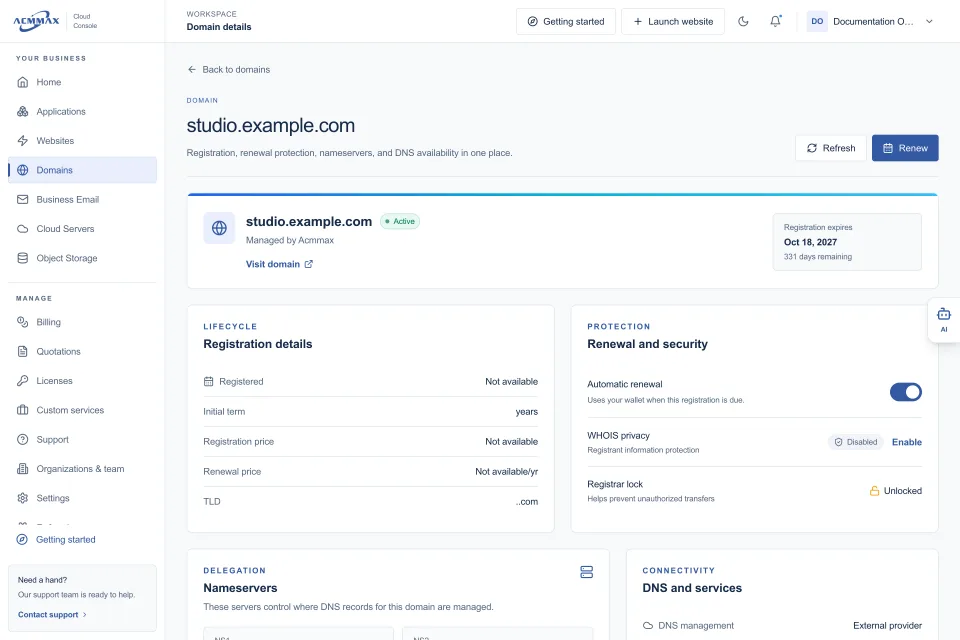
First, register and renew the domain through an account the business controls, not an individual employee’s personal account. Use a dedicated company billing contact and protect the domain account with multi-factor authentication. Domain takeover can disrupt both your website and your email.
Next, create named user mailboxes rather than sharing a single inbox password. If several people need to receive messages at `support@` or `sales@`, use an alias, group, or shared mailbox option supported by your email service. This preserves accountability and makes offboarding far easier.
Then configure SPF and DKIM, followed by DMARC in monitoring mode. Review the reports or have your technical provider review them. Once all legitimate senders are passing, move toward a stronger DMARC policy. The right pace depends on how many third-party systems send on your behalf.
Finally, establish a simple access routine. Enable multi-factor authentication, remove unused accounts, review administrator roles, and confirm recovery methods are current. If you manage several domains, websites, hosting services, and mailboxes, keeping those records organized in one operational console reduces the chance that an expired domain or forgotten account becomes a security gap.
Choosing an email provider with security in mind
Price matters, but the cheapest mailbox is not always the lowest-cost choice if it creates support problems or lacks basic controls. Look beyond storage size and the number of addresses included in a plan.
Ask whether the service supports multi-factor authentication, secure webmail and mail client connections, spam and malware filtering, mailbox recovery, aliases, forwarding controls, and the DNS records needed for SPF, DKIM, and DMARC. Also ask who is responsible for setup. Some managed email services can guide the initial configuration, while others expect you to handle DNS and security policies independently.
For agencies and businesses managing client services, account ownership matters as much as technical features. Use clear organization access, documented administrators, and billing contacts that remain with the business. ACMMAX brings domains, business email, hosting, and account administration into one Cloud Console, which can make routine access and renewal checks easier to manage.
Custom email earns trust when it is backed by real controls and a team that uses them consistently. Start with multi-factor authentication and domain authentication, then make account reviews part of normal business operations. That gives your company a safer, more professional foundation for every message it sends.