




以下为英文原文。
A DNS issue rarely looks like a DNS issue at first. A website stops loading, business email fails to arrive, a new landing page appears inconsistently, or a verification record will not validate. This managed DNS review looks at what businesses actually receive from a managed DNS service, where the value comes from, and what to check before moving a live domain.
For a small business, agency, or freelancer managing client sites, DNS is not just a technical setting. It is the routing layer behind websites, email, subdomains, security services, and third-party tools. The right service can make routine changes easier to control. The wrong one can turn a simple update into an outage that is difficult to trace.
What Managed DNS Does
DNS translates a domain name such as yourbusiness.com into the records that direct visitors and services to the right destination. Those records may point a website to a hosting server, route email to a mail provider, verify a domain with a payment platform, or connect a subdomain to an application.
Managed DNS means a provider operates the authoritative DNS infrastructure and provides a control panel or API for managing those records. Instead of running your own nameservers, maintaining DNS software, and monitoring availability, you use the provider's distributed DNS network and management tools.
That distinction matters when a business depends on several connected services. A typical domain may use A or AAAA records for a website, MX records for email, TXT records for SPF, DKIM, and verification, plus CNAME records for subdomains and external platforms. Each record has a specific purpose. A reliable DNS service keeps them available while giving authorized users a clear way to make changes.
Managed DNS Review: What to Evaluate First
The best managed DNS service is not necessarily the one with the longest feature list. It is the one that supports your operating needs without adding unnecessary complexity. For many small and midsize businesses, the decision comes down to reliability, control, security, support, and how well DNS fits with the rest of the account.
Reliability and DNS network coverage
Authoritative DNS should answer requests quickly and consistently from multiple locations. Providers often describe this as an anycast network, where the same DNS service is available from geographically distributed points of presence. The technical design matters, but the business outcome is straightforward: visitors and connected services should still find the correct destination when traffic increases or an individual location has a problem.
Look beyond broad uptime language. Ask whether the provider publishes a service commitment, maintains redundant nameservers, and has a status process for incidents. DNS availability is only one part of website availability, but it is a foundational one. If DNS cannot respond, a healthy server will not help visitors reach the site.
For a local business with a simple brochure site, premium global routing features may be less important than dependable core DNS and clear support. For an ecommerce store, agency portfolio, SaaS application, or business with customers in several regions, low-latency global resolution and stronger resilience carry more weight.
Record management that prevents mistakes
A clean DNS interface saves time, especially when someone needs to update a record under pressure. Good management tools show record type, hostname, value, TTL, and status clearly. They also prevent common errors such as creating conflicting records, entering an invalid target, or accidentally deleting a mail record while changing a website record.
TTL, or time to live, deserves attention. It tells resolvers how long they can cache a DNS response. A longer TTL can reduce repeated lookups, but it also means changes may take longer to be seen by users. Before a planned migration, businesses often lower the TTL in advance. After the move is stable, they can raise it again. A managed DNS provider cannot eliminate all caching behavior across the internet, so be cautious with any claim that updates are always instant.
The console should also make it easy to distinguish the root domain from subdomains. A record for www, mail, shop, or app may point somewhere entirely different from the main website. Agencies managing several clients benefit from templates, bulk actions, and a consistent record layout, provided permissions remain controlled.
Security and access control
DNS is a high-impact account area. An unauthorized change can redirect website visitors, interrupt mail delivery, or interfere with domain validation. At a minimum, assess whether the service supports multi-factor authentication, role-based access, account activity visibility, and secure transfer procedures.
DNSSEC is another useful capability to evaluate. It adds cryptographic validation to DNS responses, helping reduce the risk of certain forged DNS answers. It is not mandatory for every domain, and it requires correct configuration at both the DNS provider and domain registrar. When it is enabled incorrectly, it can make a domain unreachable. The practical question is whether your provider gives clear setup guidance and support if your team needs DNSSEC.
For larger teams, avoid sharing one master login. Give each administrator an individual account and the access level needed for their work. A developer may need to manage records for an application, while an office manager only needs visibility into renewals and billing. Clear access boundaries reduce both security exposure and accidental edits.
DNS and Email Need to Be Managed Together
Many DNS changes affect email before anyone notices the connection. MX records tell other mail systems where to deliver messages. SPF, DKIM, and DMARC records help receiving servers assess whether messages are authorized and legitimate. Replacing a zone file without preserving those entries can disrupt business communication or reduce deliverability.
Before moving DNS, export or document every active record. Include records that seem unfamiliar. A TXT record may support a marketing platform, Google or Microsoft service, SSL certificate validation, or a domain ownership check. Deleting it may not break the website, but it can create a problem weeks later when a certificate renews or a service requests verification.
If your provider offers business email, hosting, and DNS within one account, record setup can be simpler because service defaults are easier to identify. That does not remove the need for review. It does reduce the number of dashboards required to find the source of an issue.
Pricing: Compare the Full Operating Cost
DNS pricing is often low compared with hosting or email, which can make it easy to overlook. The better question is what operational work the price includes. A free DNS service can be appropriate for a personal site or an early-stage project. Paid managed DNS may be worthwhile when availability, access control, support, or advanced traffic handling has a direct business impact.
Review whether the plan includes the number of zones, records, queries, users, and API requests your organization needs. Check for charges tied to premium features, extra domains, DNSSEC, advanced routing, or support tiers. Also separate domain registration from DNS hosting in your comparison. You can register a domain with one company and host DNS with another, but that arrangement adds a handoff during setup and renewal management.
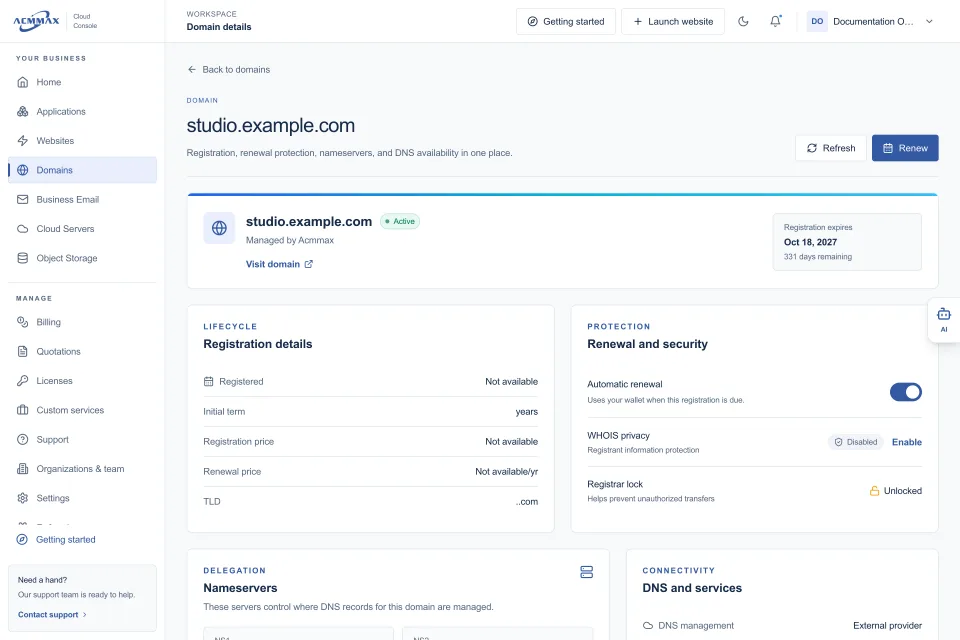
A unified platform can reduce administrative friction when domains, DNS, website hosting, email, invoices, and renewals are visible in the same Cloud Console. ACMMAX is designed around that model, giving businesses a central place to manage core website operations while retaining practical controls for technical tasks.
When Advanced DNS Features Are Worth It
Advanced routing can direct users based on geography, latency, health checks, or weighted traffic rules. These features are valuable for applications running across multiple servers or regions, phased migrations, and failover planning. They are not automatically useful for every business website.
Consider them when downtime has measurable revenue or service consequences, when an application needs regional routing, or when you are shifting traffic between environments. For a single managed WordPress site, a straightforward DNS configuration with reliable nameservers, sensible TTLs, and protected account access is usually the better fit. Paying for complex traffic policies that no one on the team can confidently operate creates risk rather than resilience.
A Practical Migration Checklist
A DNS migration should be planned as an operational change, not treated as a quick nameserver edit. Before switching, confirm the complete record set, reduce TTL values ahead of time if appropriate, and identify who can approve changes. Schedule the update outside your busiest period when possible.
After updating nameservers, test the main domain, www version, key subdomains, contact forms, mail sending and receiving, and any connected applications. Keep the previous DNS records documented until the new service is confirmed stable. Propagation can vary because resolvers honor cached records for different lengths of time, so test from more than one network before assuming a problem is resolved.
Support quality becomes especially visible during a migration. A useful provider can explain whether the issue is at the registrar, nameserver, DNS record, hosting server, SSL configuration, or mail platform. That clarity can save more time than an extra feature on a pricing page.
Choose managed DNS based on the services your domain must support and the people responsible for maintaining them. When records, access, billing, and renewals are easy to see, DNS becomes quieter infrastructure - exactly what a business needs from the system directing customers, email, and services every day.